Case study · Computer vision / desktop
AirHand Mouse
Controlling the Windows cursor with one hand and an ordinary webcam, entirely locally, with no cloud and no API keys.
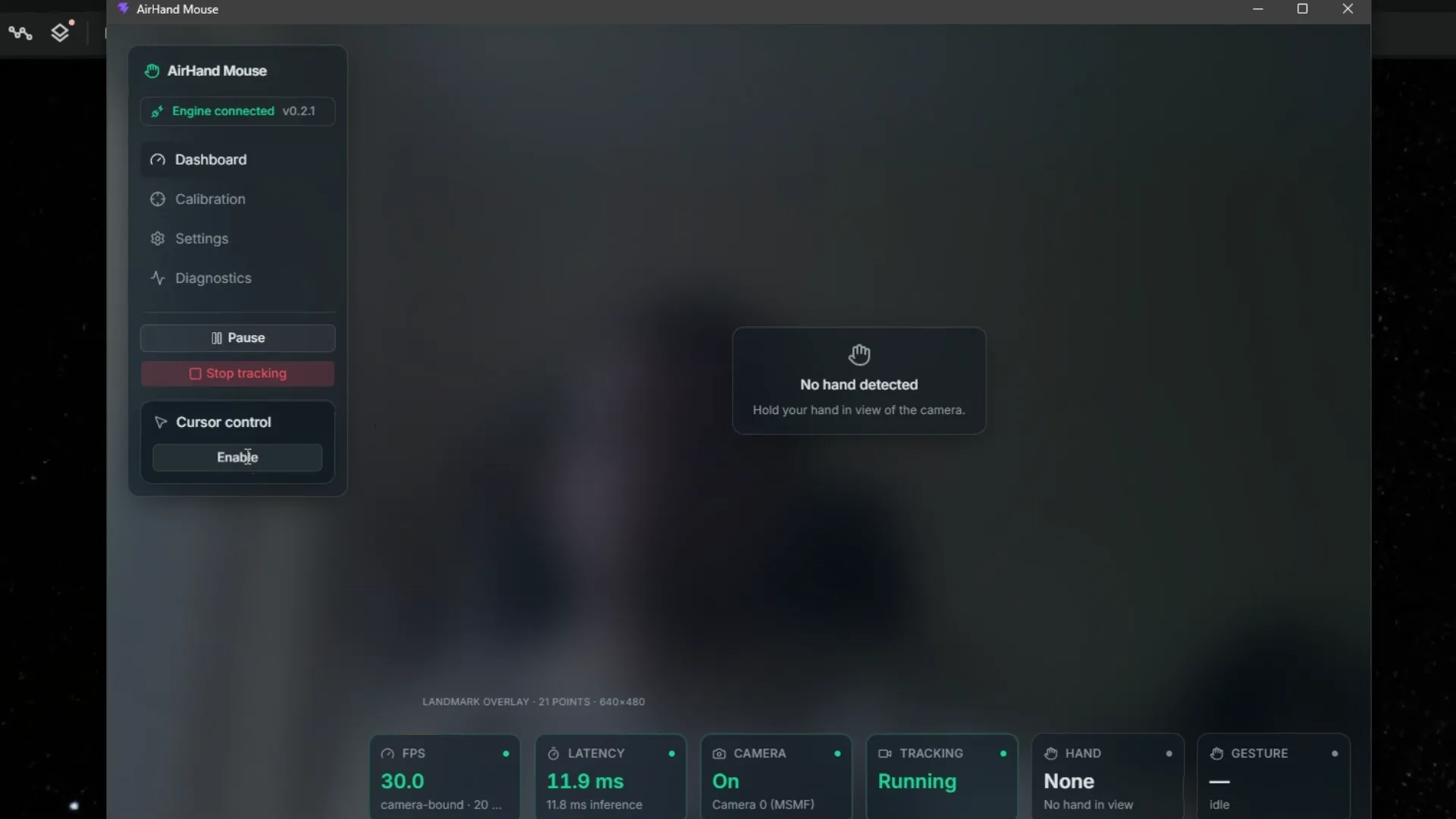
What the recording shows
The recording opens on the application dashboard: the engine reports itself connected at version 0.2.1, and the strip along the bottom shows a live 30 FPS, about 12 ms of latency, an open camera and the tracking state. No hand is in view yet, so the preview - deliberately blurred in the app - reads “no hand detected”.
The Diagnostics tab then shows what the classification is made of: both pinch distances against their close and open thresholds, the curl angle of all five fingers, and a hand scale of 0.090 that every other distance is measured in multiples of. Cursor control is switched on - the panel turns to “cursor control is ACTIVE” and repeats the kill-switch, Ctrl + Alt + Space, which works even when the pointer cannot be caught.
From there the cursor works outside the application: it turns the globe in Google Earth open in a browser, and opens a right-click context menu on a Wikipedia page. The recording returns to the dashboard at the end, where a green 21-point skeleton is drawn over the blurred preview and the strip reports a recognised right hand and the gesture “Move”.
- 01Problem
- Hand control needs to be predictable and immediately stoppable, including when tracking is lost.
- 02Solution
- A Windows app recognises gestures from an ordinary webcam, processes them locally and provides an emergency stop.
- 03Result
- A released open-source project at version 0.2.1. Cursor control works with no cloud services or API keys.
01 · Context
Why it exists.
Cursor control by hand gesture has been a demo for years. A demo shows that a model recognises a hand; a product has to work on someone else’s camera, in someone else’s lighting, with someone else’s hand.
The most important constraint was simple: you cannot click a “stop” button with a cursor that has gone wild. So the app has a global kill switch, refuses to start without it, and lets go of the mouse button the moment the hand leaves the frame.
02 · What I built
What is in it.
- Five gestures: move, left and right click, drag and scroll, steady even when the hand hovers at the edge of a gesture.
- A four-step calibration fitted to your hand and your camera.
- Settings grouped by what you want to change, with no way to enter a value that would not work.
- A diagnostic view: smoothness, latency, and what the app is seeing right now.
- A Windows installer (about 80 MB) that needs no Python and no administrator rights.
03 · Decisions
The decisions that mattered.
I measured what was slow before optimising anything.
WhyThe bottleneck turned out to be the camera, not the model. Setting the camera up properly lifted smoothness from 16–20 to 30 frames a second, while the model alone would allow about 110.
Calibration keys on the weakest gesture, not the best one.
WhyHands drift and cameras drop frames. A threshold tuned to your cleanest pinch would miss all the others, so it is set from the worst of several attempts.
The product was renamed “AirHand Mouse”.
WhyUnder the old name, uninstalling the app would have deleted the folder holding the user’s calibration, which nothing else can rebuild. Renaming was the simplest way to keep it safe.
04 · Status
Where it stands now.
Version 0.2.1 is on GitHub Releases as a Windows 10+ installer, under the MIT licence. It handles one hand and one monitor, runs only on Windows, and has no camera picker yet. Next: custom gestures, multiple monitors and media controls.